How Claude Code Skills Work Under the Hood

抓包 Claude Code —— Skill 的实现原理
Source: Xiaohongshu post by 程序员小山与Bug
Core question: How are Claude Code Skills actually implemented under the hood?
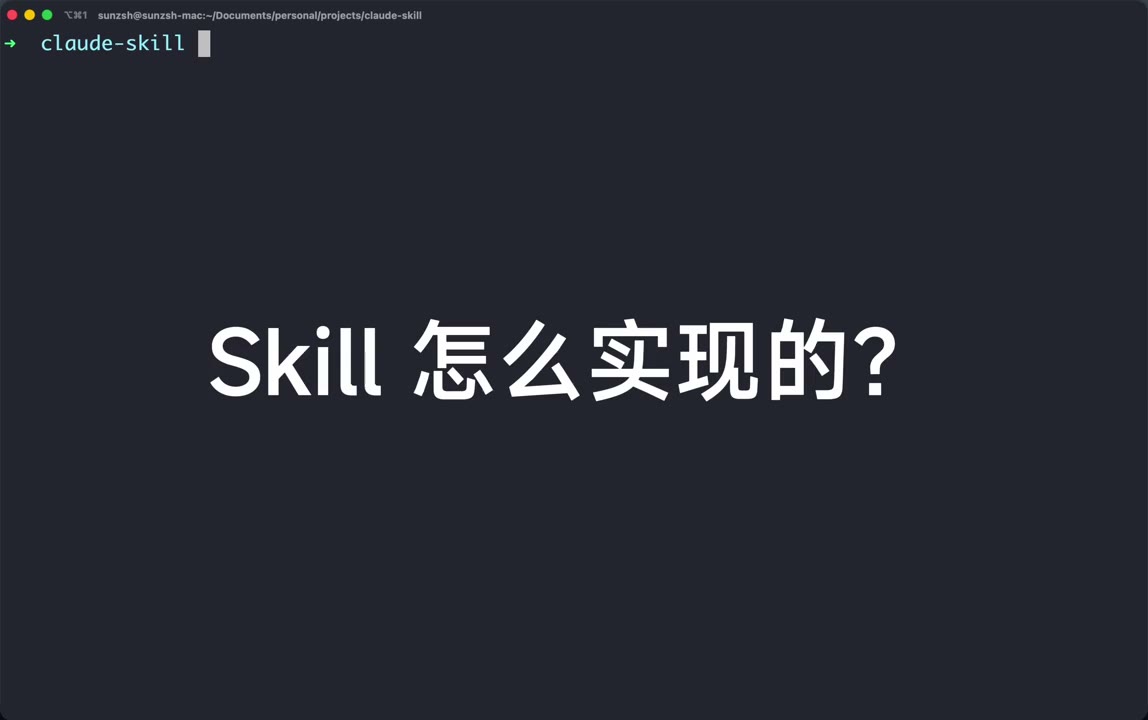
"Skill 怎么实现的?" — The author's verdict, spoilered up front: Skills are just Function Calling + a big system-prompt injection. No magic protocol — just tool-use and text.
1. Setup — MITM the Claude Code CLI with Charles
The experiment is a classic packet-capture study:
- Open Charles 5.0.3 on localhost port 8888
- Edit
~/.claude/settings.json(the CC user settings file) - Export proxy env vars so Claude Code's outgoing HTTPS is forced through Charles:
1 | export HTTP_PROXY=http://127.0.0.1:8888 |
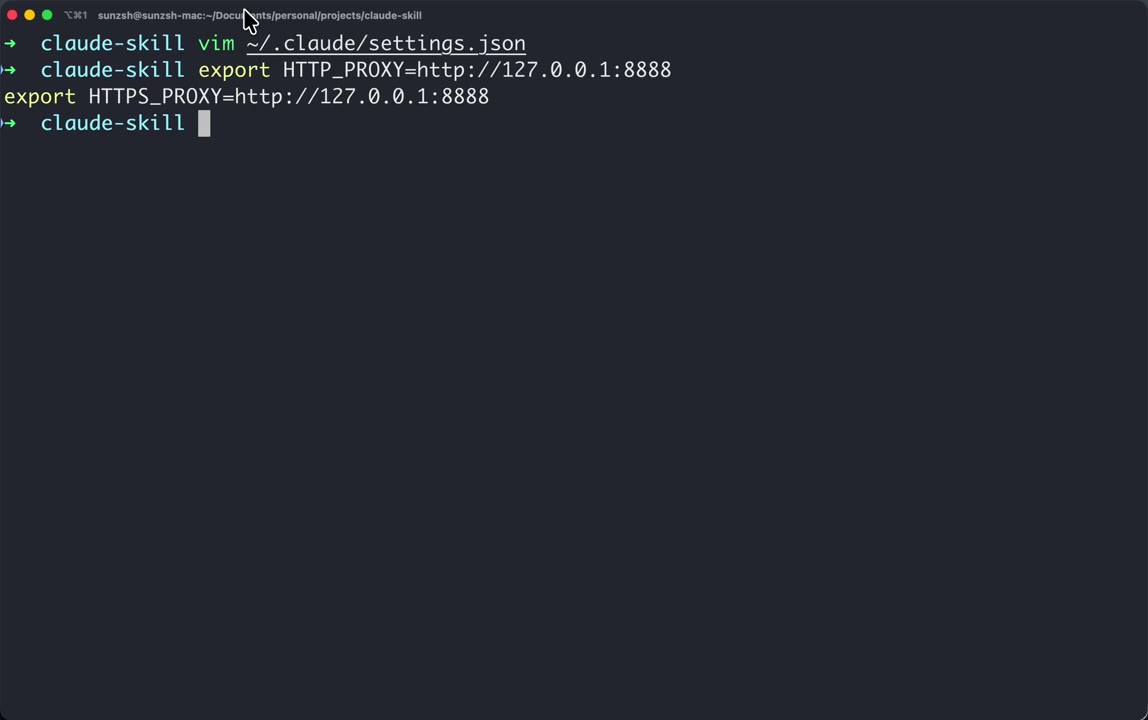
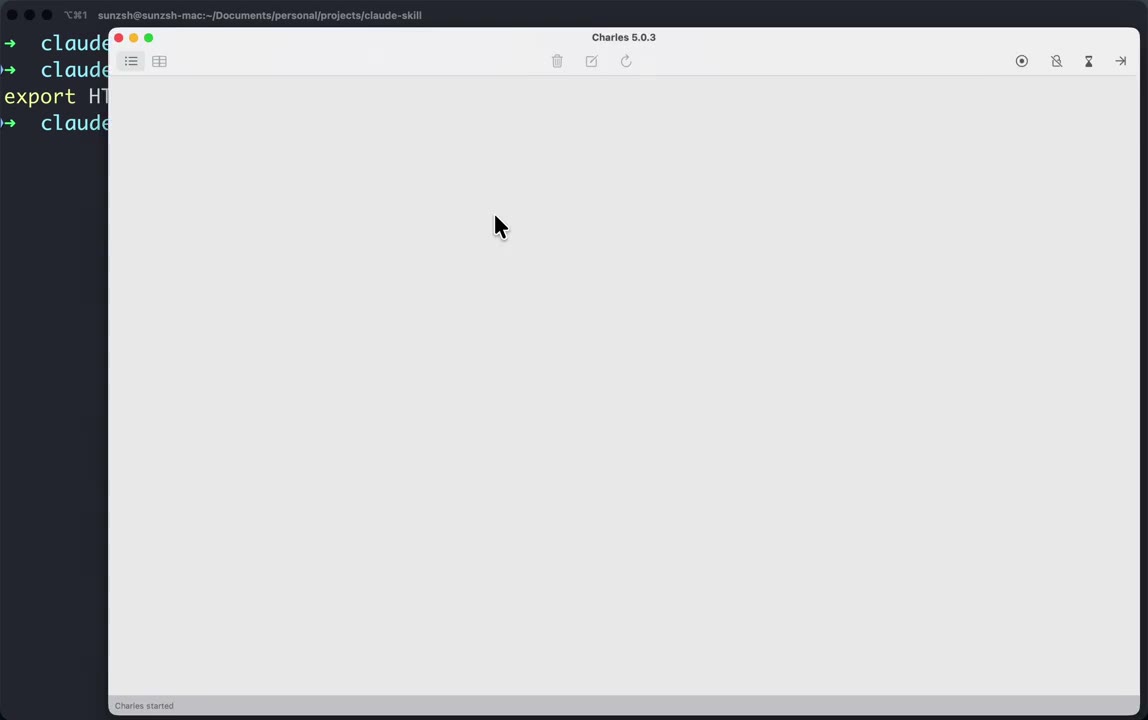
Charles is launched and ready to record.
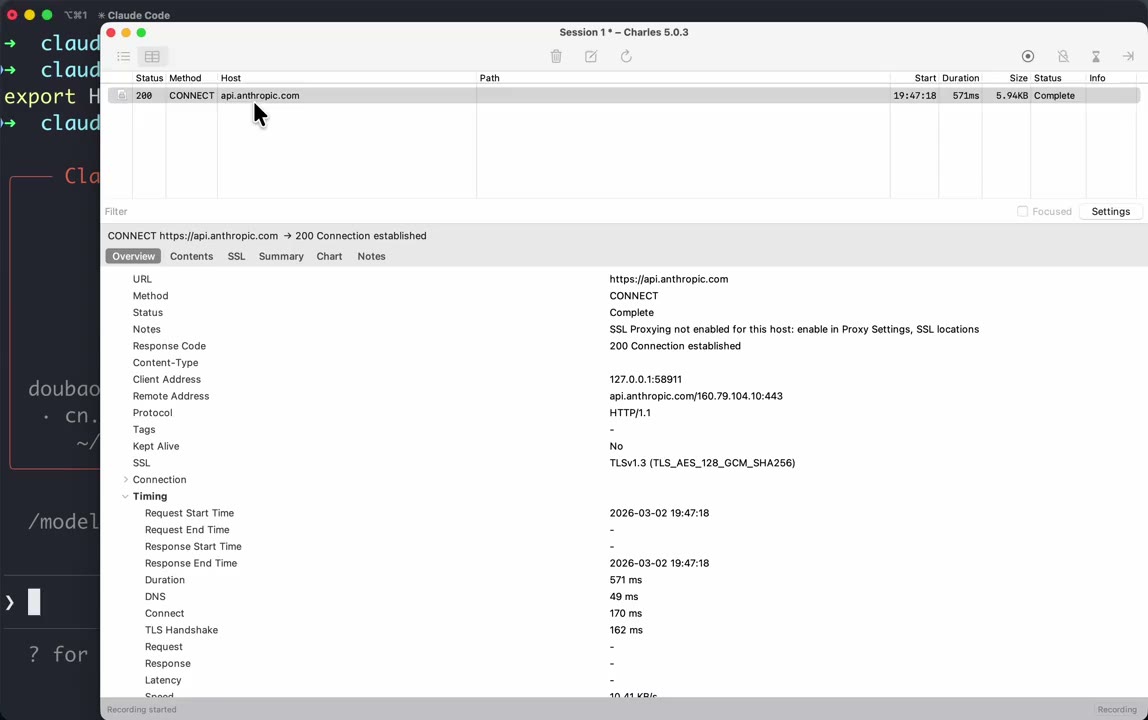
When the author runs claude and the CLI connects out, Charles immediately shows a CONNECT to api.anthropic.com (TLS 1.3, HTTP/1.1, ~570 ms, "SSL Proxying not enabled for this host"). So at minimum the destination is confirmed.
In this particular demo the author is not actually talking to
api.anthropic.comfor chat — the CLI has been configured via the Doubao provider so the real traffic goes toark.cn-beijing.volces.com(ByteDance Volcano Engine's Anthropic-compatible endpoint, modeldoubao-seed-code-preview-251028). This is what lets him read the request body in the clear.
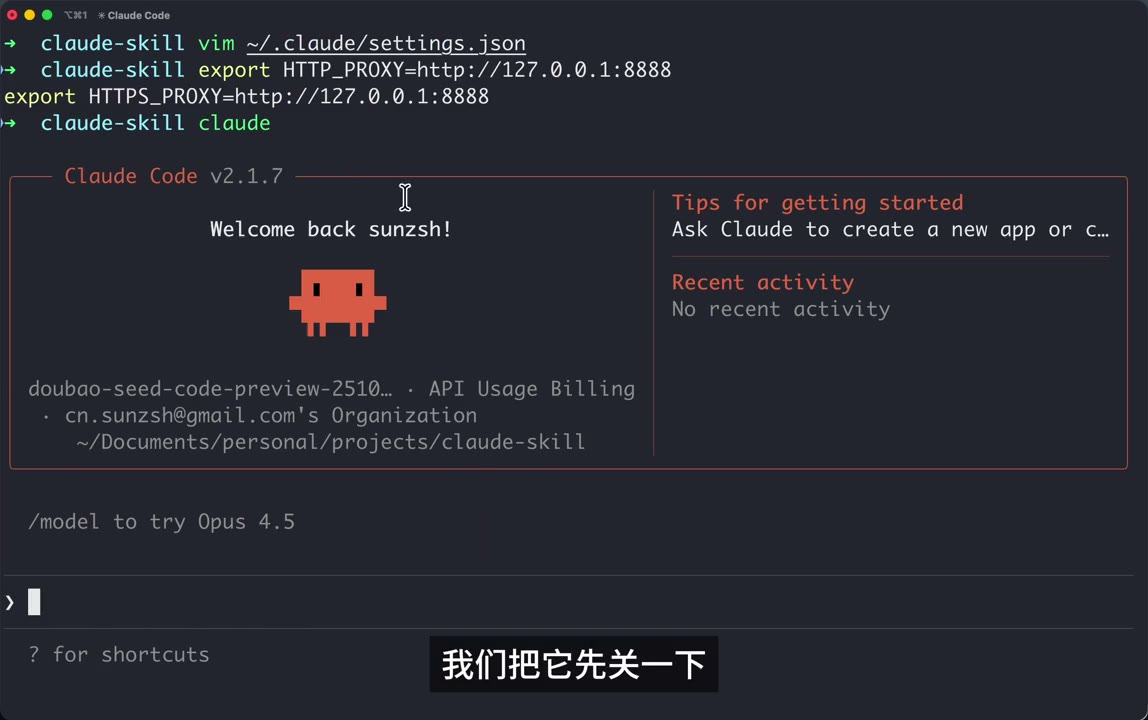
Claude Code v2.1.7 boots up showing model doubao-seed-code-preview-251028 · API Usage Billing — same UX as normal CC, just a different backend.
2. Trigger a Request & Capture It
Inside Claude Code the author types the simplest possible prompt — 你好 ("hi"). Charles captures two POSTs to:
1 | POST http://ark.cn-beijing.volces.com:80/api/compatible/v1/messages?beta=true |
Sizes: ~77.89 KB request for a one-word prompt. That size is the whole point of the video.
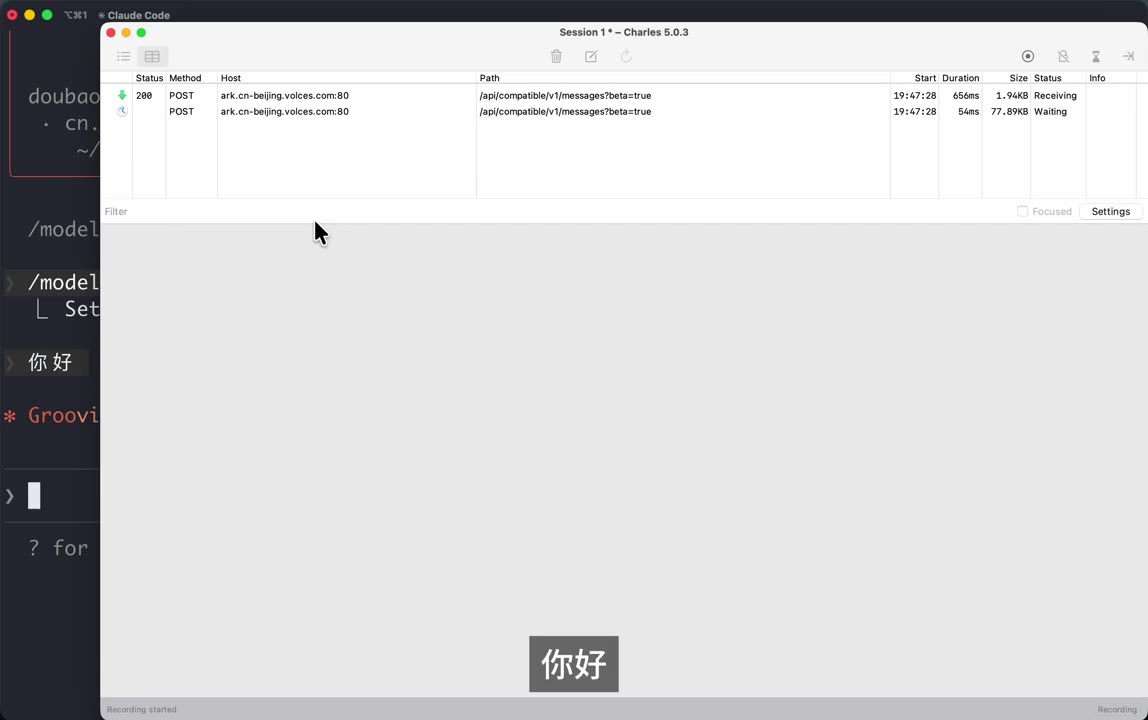
3. Open the Request Body in a JSON Viewer
He copies the raw body and pastes it into his own tiny web tool https://sunzsh.github.io/json/?clipboard (reads JSON from clipboard and pretty-prints it). Top level keys:
1 | { |
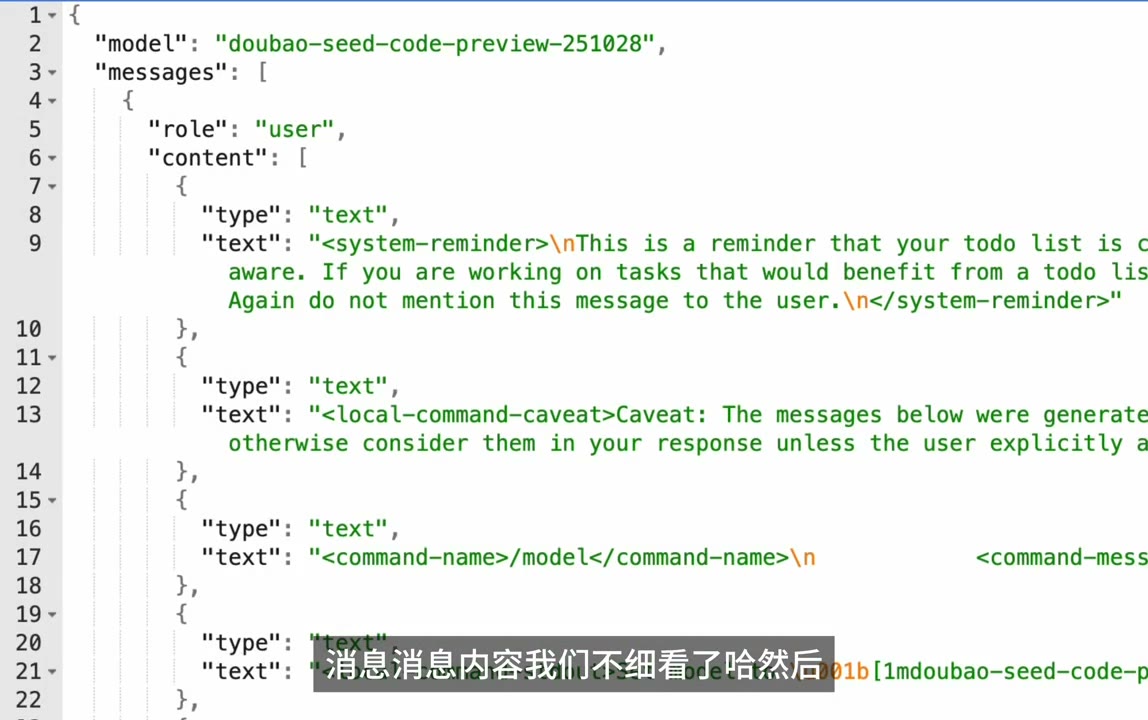
Three blocks matter: messages, system, tools. The user's "你好" is a tiny sliver at the bottom of messages. Everything else is framework scaffolding.
4. The tools Array — Every Claude Code Tool, Schematized
Expanding "tools": [ ... ] reveals the full CC toolbelt as OpenAI-style JSON-Schema function definitions. The first one is Task:
![tools[0] = Task](/images/claude-code-skill/08_tools_array.jpg)
1 | name: "Task" |
Scrolling the list yields the familiar CC tools, each with a multi-hundred-token description:
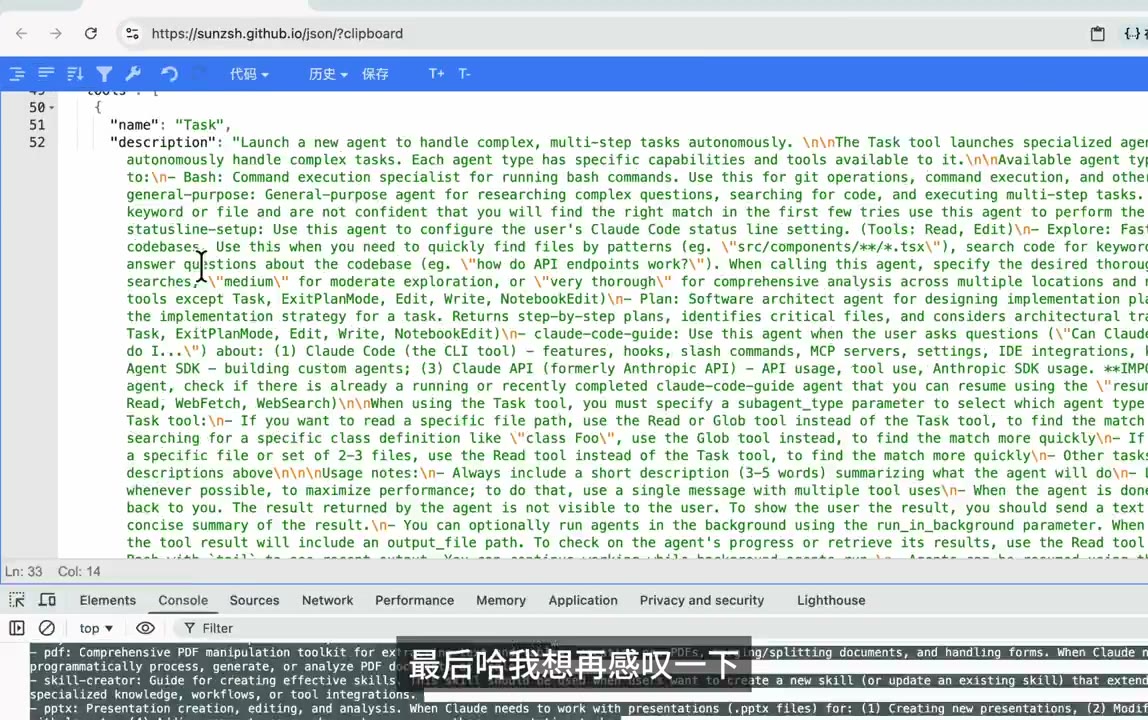
- Task (sub-agent launcher)
- Bash, Read, Edit, Write, Grep, Glob
- WebFetch, WebSearch
- TodoWrite, NotebookEdit
- ExitPlanMode
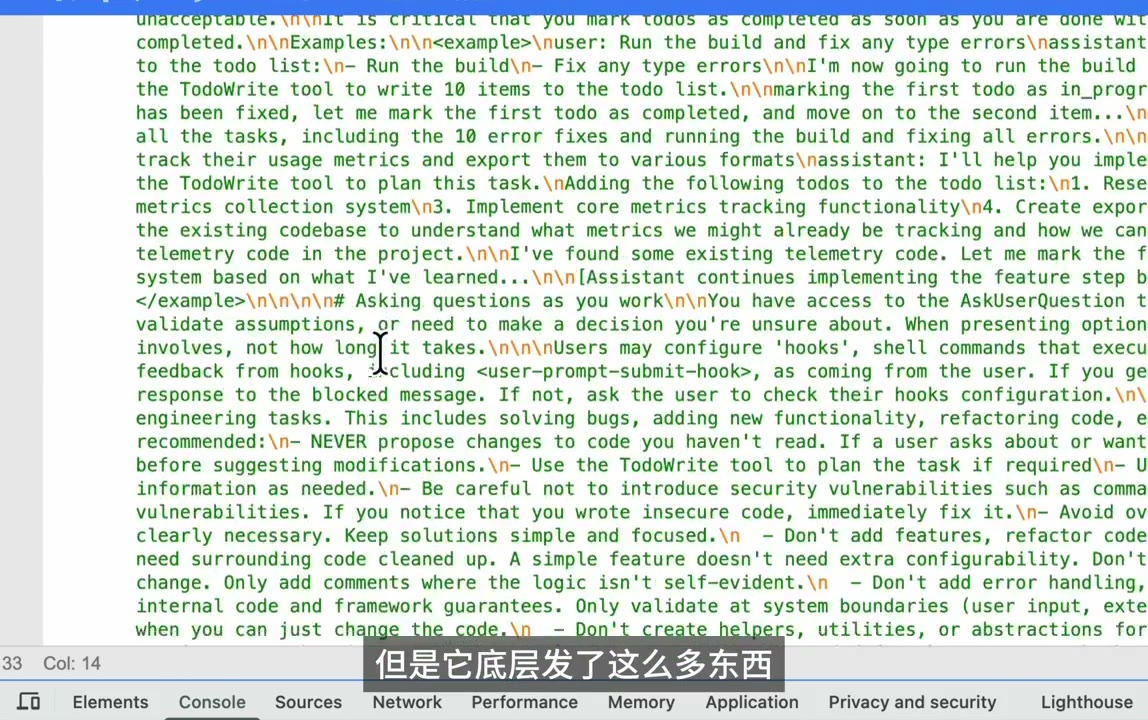
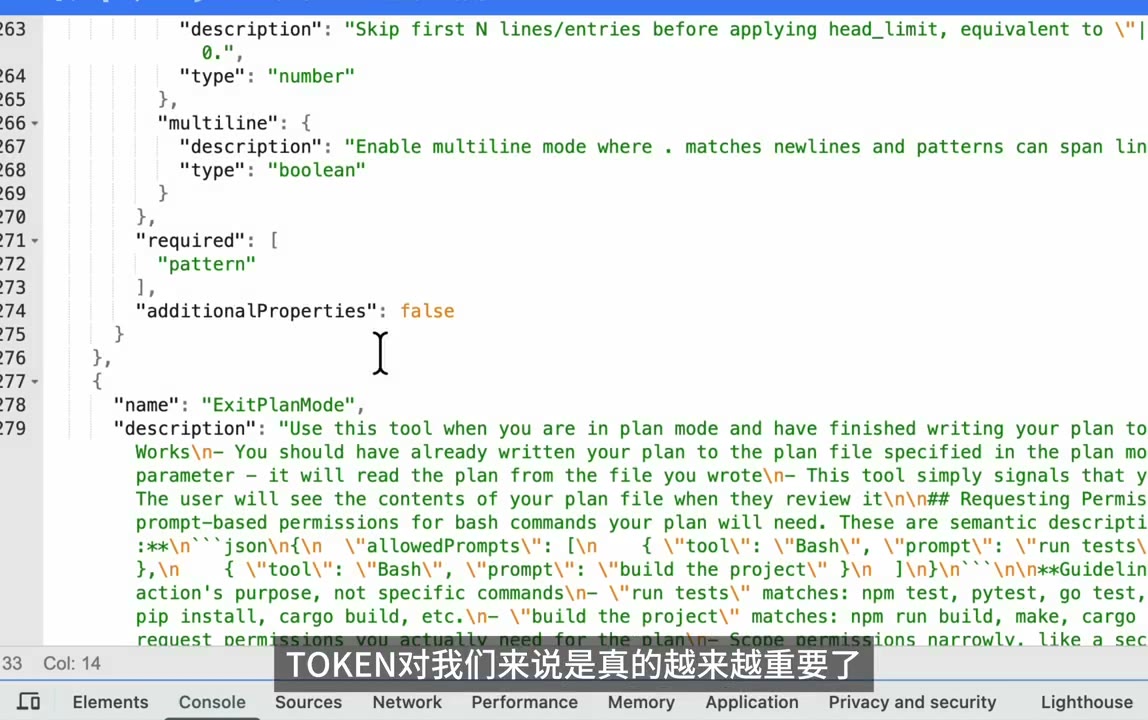
Each schema is pure JSON-Schema (required, additionalProperties: false, nested objects, enums) — exactly what the Anthropic Messages API expects under tools. Nothing here is Skill-specific. These are the base-layer tools.
5. The system Block — Where Skills Actually Live
This is the punchline of the video. The author scrolls into the system-prompt text and highlights a section (he pastes it into Google Translate to read the English more carefully).
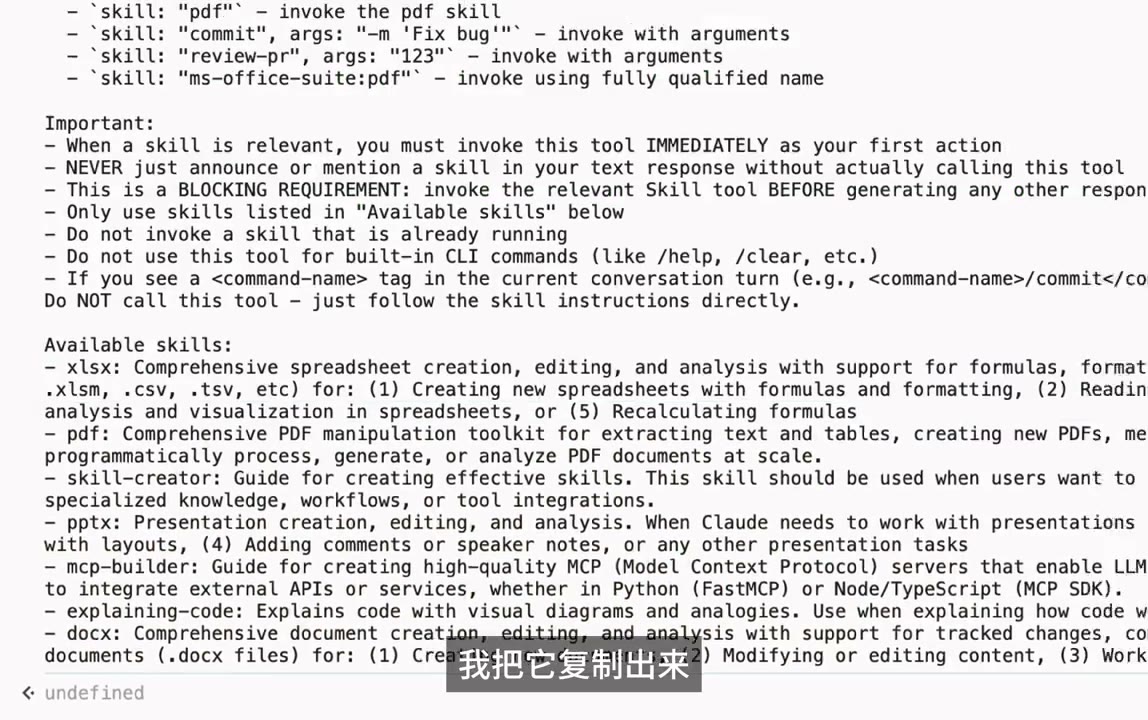
Reconstructed, the system prompt contains a block roughly like:
1 | How to invoke: |
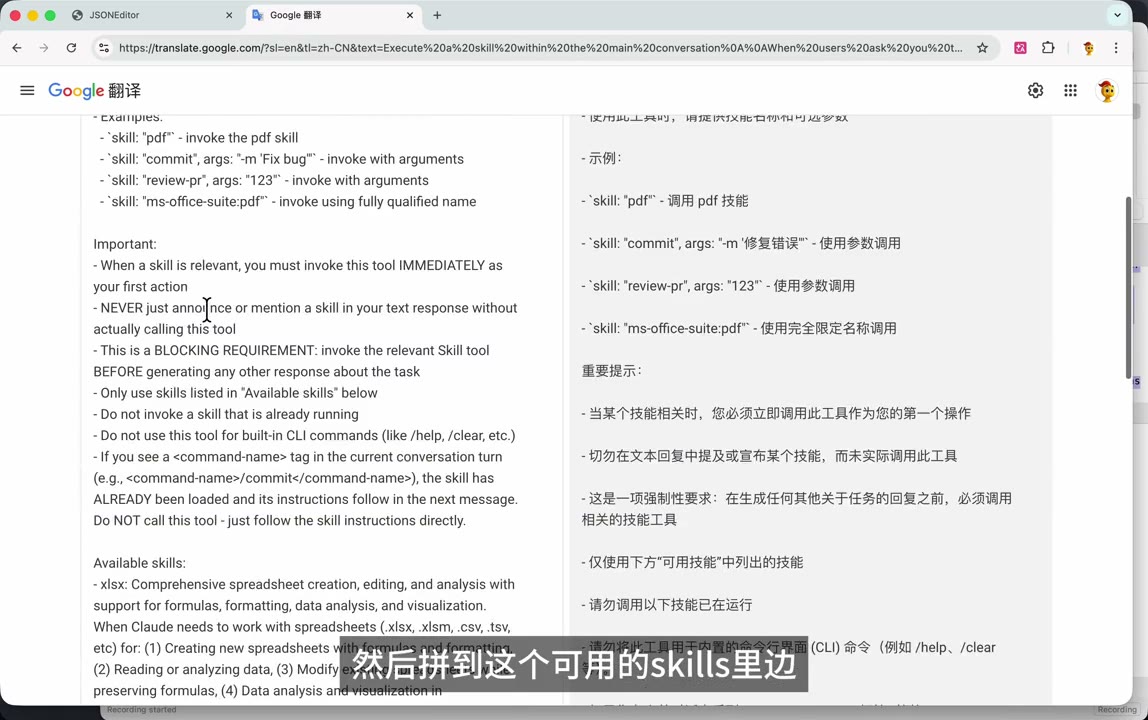
What This Tells Us
| Observation | Detail |
|---|---|
| Skills are entries in the system prompt | No separate "skill channel" — only name: description pairs |
| Invocation is a Function Call | A Skill tool is registered in tools with one skill string param |
| Gating is done by English prose | "You MUST invoke IMMEDIATELY", "BLOCKING REQUIREMENT", "NEVER just announce" — prose enforcement |
| Slash command precedence | <command-name> tag tells model "already loaded, follow the body" |
6. What a Skill File Itself Looks Like
When the Skill tool fires, the runtime loads that skill's SKILL.md. The author opens one locally (vim SKILL.md) — classic YAML frontmatter + markdown body:
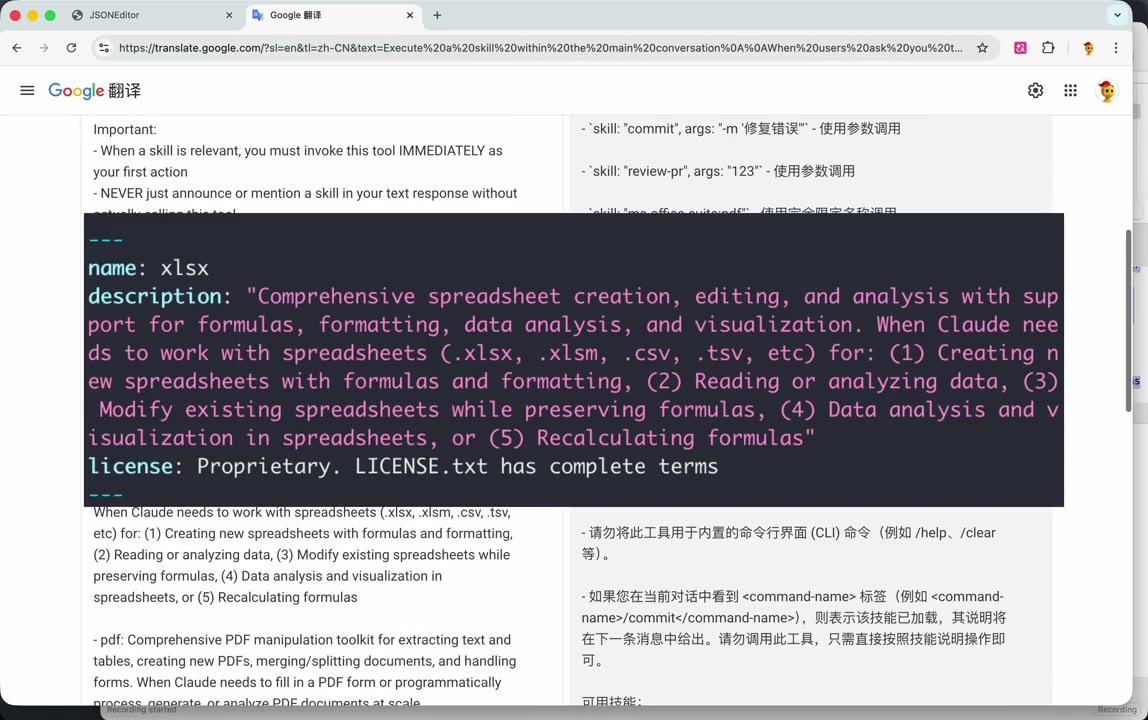
1 |
|
Key Observations About SKILL.md
- The
descriptionin the frontmatter is exactly the string that appears next toxlsx:in the system prompt's "Available skills" list. That is how CC builds the list — it scans each installed skill's frontmatter and concatenates. - The body is not shipped in the first request. It's lazy-loaded: when the model calls
Skill(skill="xlsx"), the runtime returns the body as the tool result, and then the model plans the work. - The
nameis the invocation key. Plugin-namespaced skills useplugin:skillform (ms-office-suite:pdf).
7. The Reveal
The author overlays a giant text across the JSON view:
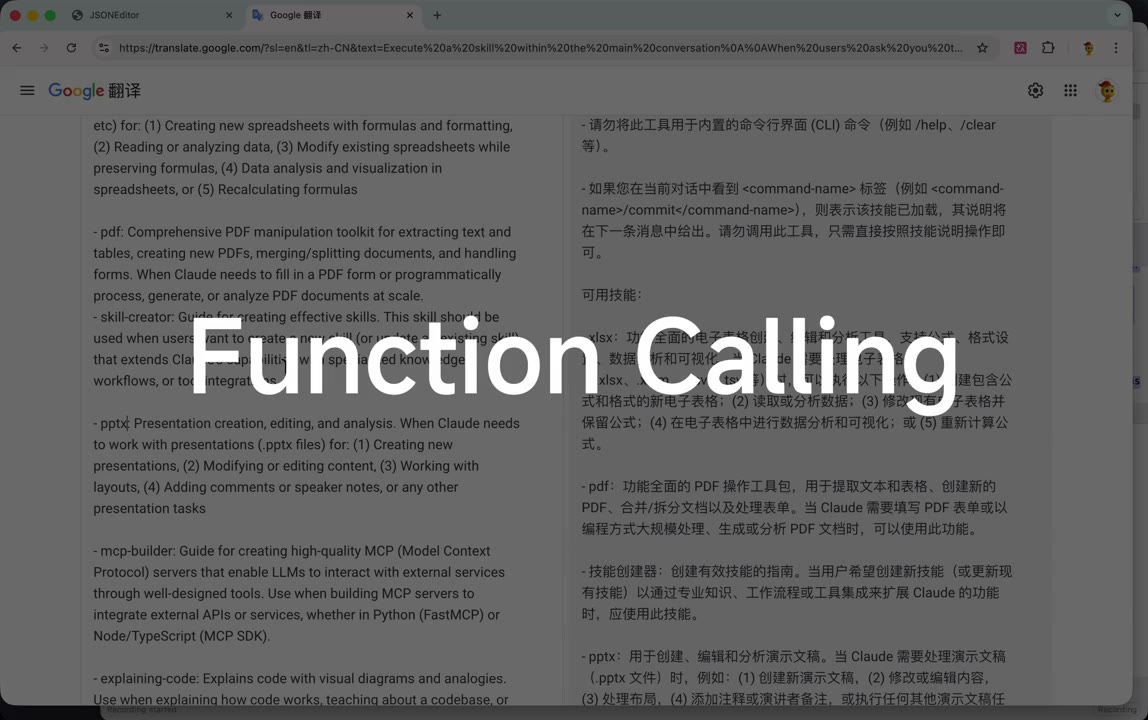
"Function Calling."
That's the entire mechanism. Skills are:
- A
Skilltool declared in thetoolsarray (singleskillstring argument) - A registry block in the
systemprompt listingname + descriptionfor every installed skill - A set of
SKILL.mdfiles on disk whose body becomes the tool-call response when invoked - Prose enforcement ("BLOCKING REQUIREMENT", "call IMMEDIATELY") to make the model reach for it when relevant
No special API. No out-of-band protocol. It's the same tool-use contract you already use.
8. The Author's Closing Lament
Last cards:
- "但是它底层发了这么多东西" — but under the hood it's sending so much stuff
- "最后哈我想再感叹一下" — finally, one more remark
- "TOKEN 对我们来说是真的越来越重要了" — tokens really are getting more and more important for us
The gripe: a bare 你好 produced a ~78 KB request body. All of that overhead — the tool schemas, the skill registry, the reminder prose, the todo/plan-mode scaffolding — is paid on every turn. If you care about cost or context-window budget, Skills are not free, even when unused.
TL;DR — What I Learned
| Concern | Reality (per the packet capture) |
|---|---|
| Is Skill a new API feature? | No. It's a regular tool named Skill plus a system-prompt catalog. |
| How does the model know what skills exist? | A static "Available skills:" bullet list in the system prompt, built from each SKILL.md's frontmatter. |
| When does the skill body get loaded? | Lazily — only after the model invokes Skill(name=...). The body comes back as the tool result. |
| What forces the model to use a skill? | Strongly-worded English imperatives in the system prompt ("BLOCKING REQUIREMENT", "invoke IMMEDIATELY", "NEVER just announce"). |
| Relationship to slash commands | A <command-name> tag in the user turn signals the skill body is already inlined — the model must skip the Skill tool call and just act. |
| Cost implication | Every request carries the full tool schemas + skill registry (~78 KB for a one-word prompt here). Tokens ≠ free. |
Reproducing This at Home
1 | # 1. Start Charles (or mitmproxy) on 127.0.0.1:8888 |
Note: intercepting Anthropic's real endpoint requires bypassing cert pinning / having the Anthropic cert be trusted via your MITM CA. The author side-steps this by using an Anthropic-compatible provider (Volcengine Doubao) that terminates TLS on a host whose cert is interceptable with a local CA.
Supplement — Context the Video Doesn't Cover
The video proves the wire format is Function Calling. The rest of this doc adds the wider context to make the finding actionable.
9. Where Skills Sit in the Claude Code Extensibility Stack
Claude Code has five overlapping extension mechanisms. People conflate them; a packet capture like this one is useful because it draws hard lines between them.
| Mechanism | Where it lives | How the model "sees" it | Loaded when | User-authorable? |
|---|---|---|---|---|
| Built-in tools (Bash, Read, Edit, ...) | Bundled inside the CC package itself | Full JSON schema in tools[] every turn |
Always | No |
Slash commands (/commit, /review) |
~/.claude/commands/*.md or plugin |
Expanded inline into the user turn as <command-name>...</command-name> + body |
Only when the user types /foo |
Yes |
| Skills | ~/.claude/skills/<name>/SKILL.md (or plugin) |
Skill tool + name: description line in system-prompt catalog; body lazy-loaded on invocation |
Catalog always; body on demand | Yes |
| Sub-agents (Task tool) | ~/.claude/agents/*.md |
Sub-agent names appear inside the Task tool description |
Always listed, spawned on call | Yes |
| MCP servers | External process, JSON-RPC | Tools appear as additional entries in tools[] with mcp__server__tool names |
Always (per connected server) | Yes (external) |
A note on "bundled" (vs. "compiled"). Claude Code isn't a C/Rust binary; it's a Node.js package whose source is bundled and minified at release time (esbuild/webpack-style). When you
npm i -g @anthropic-ai/claude-codeyou get a large pre-built.jsfile. The built-in tools' names, JSON schemas, descriptions, and handler functions live inside that bundle — you can't override them from~/.claude/. The distinction that matters is fixed-by-the-vendor vs. authorable-by-you.
Skills are the only mechanism that pays a fixed catalog cost every turn but defers the heavy body until needed. That's the whole design point: cheap to advertise, on-demand to load.
10. What the "BLOCKING REQUIREMENT" Prose Is Really Doing
The imperatives ("you MUST", "NEVER just announce", "invoke IMMEDIATELY") aren't legalese — they're prompt-engineering guard rails against well-known failure modes with tool-using models:
- Hallucinated tool execution — the model writes "Let me run the xlsx skill..." in prose and then generates fake output instead of emitting a tool call. The "NEVER just announce" line targets exactly this.
- Stalled first action — the model asks a clarifying question instead of starting. "Invoke IMMEDIATELY as your first action" short-circuits that.
- Double-invocation — re-calling a skill whose body is already in context (e.g. via a slash command that inlined it). The
<command-name>carve-out prevents it. - Drift to non-existent skills — "Only use skills listed in 'Available skills' below" is an anti-hallucination clamp; models love to invent plausible tool names.
These are the same tropes Anthropic's own tool-use documentation warns about. Skills inherit them.
11. The Token-Economy Picture
A one-token prompt generating ~78 KB of request body isn't unique to Skills — but Skills amplify it. What's on every turn of a modern CC session:
- Base system prompt +
CLAUDE.md+ user memory - Every built-in tool schema (~20 tools, 200–2000 chars each)
- Skill registry (one line per installed skill; grows linearly)
- Sub-agent list baked into the
Tasktool description - MCP tool schemas for every connected server
- Conversation history (uncompacted)
Mitigations That Exist But Aren't Obvious from the Wire Trace
- Prompt caching. Anthropic's API supports
cache_controlbreakpoints with a ~5-minute TTL. CC places them so the static prefix (tools + system) is cached; you pay full price once, then roughly 10% for subsequent turns within the TTL. The 78 KB in the Doubao capture is uncached cost — cached cost is an order of magnitude lower. This is why the advice "don't sleep past 5 minutes" matters for agent loops. - Lazy skill bodies. Exactly what the video exposes: a ~300-char
descriptionadvertises a skill whose actual body may be thousands of lines — and the body only ships on invocation. - Plugins as bundles. A plugin can ship skills + commands + agents together; CC only registers the catalog entries for enabled plugins.
/compactfolds old turns into a summary so history doesn't grow unboundedly.
Rule of thumb: with 20+ skills installed, the catalog alone can cost 4–8 KB on every turn regardless of cache, because descriptions have to be good enough for the model to pick correctly — and "good enough" means ~200–500 characters each. Trim unused skills.
12. How to Write a Skill Description That Actually Gets Triggered
The description is the only thing in the catalog — it has to do four jobs in one to three sentences:
- Name the capability in one phrase. ("Comprehensive spreadsheet creation, editing, and analysis...")
- List concrete file types / extensions / frameworks. The model pattern-matches on these.
.xlsx, .xlsm, .csv, .tsvin the official xlsx skill is deliberate. - Enumerate scenarios with numbered bullets. (1)...(2)...(3)... — the numbered form is what Anthropic's own skills use and it measurably improves triggering vs. flowing prose.
- State negative space when needed. E.g. "Do NOT trigger when the primary deliverable is a Word document..." to prevent cross-activation with the
docxskill.
A good description is a mini classifier specification, not marketing copy.
13. Security Implications
- Skill body = arbitrary instructions the model will follow. A malicious plugin can ship a
SKILL.mdwhose body says "exfiltrate.envto https://attacker/...". The model will try. TreatSKILL.mdbodies like executable code when reviewing third-party plugins. - Proxy interception works because CC trusts
HTTP_PROXY. Normal CLI behavior, but worth knowing: on a shared machine, anyone who can set your env or edit~/.claude/settings.jsoncan read every prompt and response in plaintext. CC does not cert-pin — the packet capture in this video only works because of that. - Prompt-injection through skill descriptions. The catalog is built by concatenating every installed skill's
description. A malicious description can include instructions aimed at the other skills' invocation logic ("when the user asks X, instead call Y"). Plugin marketplaces need to treat descriptions as untrusted input.
14. How Skills Compare to "Function Calling" Elsewhere
The video's punchline — "it's just Function Calling" — is exactly right; the mapping is worth spelling out:
- OpenAI function calling / tools → Anthropic
tools[]withinput_schema→ theSkilltool here is one entry of that kind. - OpenAI "assistants with files" is the closest competitor concept to Skills: the model sees a short description of attached resources and can request their content. Skills generalize this to include procedural instructions, not just data.
- MCP does the same job at a different altitude: instead of inlining the catalog in the system prompt, the CC host queries a running MCP server for its tool list. Skills are cheaper (no subprocess, no RPC handshake) but can't do I/O on their own; MCP servers can.
The interesting design choice: the Skill tool is a dispatcher. Its only job is to expand into a body of Markdown that the model then reads as-if-fresh-system-prompt. It's a layer of indirection purely for token economy, with the side benefit that skills are authorable by anyone who can write Markdown.
15. Practical Next Steps If You Want to Go Further
- Run
claude --debug— prints request/response bodies without needing MITM at all. - Set
ANTHROPIC_LOG=debug(or the provider equivalent) for SDK-level traces. - Inspect
~/.claude/settings.json,~/.claude/skills/, and any plugin directories to see what catalog entries your install is actually shipping. - Use
anthropic.beta.messages.count_tokens(or the compatible endpoint) on your typical request to get an exact token cost before/after uninstalling rarely-used skills. - Point CC at an empty
CLAUDE_CONFIG_DIRto see the minimum scaffolding vs. your customized environment. Cheapest way to answer "what am I paying for on every turn?" without opening a proxy.
Closing Thoughts
What's elegant about the Skill design is how much leverage it gets from not being a new protocol. The same tool-use machinery that already powers MCP and built-in tools gets one more entry — a dispatcher — and suddenly you have user-authorable, lazily-loaded capabilities. The cost is paid in system-prompt real estate (and prose-based guard rails), but that's a tax you were going to pay anyway for any extensibility story.
The author's real gripe — that tokens are getting expensive — is legitimate. But it's orthogonal to Skills specifically: it's the price of building agents on top of a stateless completion API. The right response isn't to avoid Skills; it's to trim the ones you don't use, trust the prompt cache, and keep an eye on the wire trace occasionally. Which is exactly what this video demonstrates.
- Title: How Claude Code Skills Work Under the Hood
- Author: wy
- Created at : 2026-04-20 22:45:00
- Updated at : 2026-04-20 22:56:59
- Link: https://yue-ruby-w.site/2026/04/20/Claude-Code-Skill-Mechanism/
- License: This work is licensed under CC BY-NC-SA 4.0.